> For the complete documentation index, see [llms.txt](https://docs.xygeni.io/llms.txt). Markdown versions of documentation pages are available by appending `.md` to page URLs; this page is available as [Markdown](https://docs.xygeni.io/xygeni-administration/platform-administration/integrations/integrate-scanner-cli-into-ci-cd-systems/cloudbees-integration.md).
# CloudBees Integration
### Introduction
CloudBees is a Jenkins-based platform built to manage and run continuous integration and delivery pipelines. It lets you automate builds, tests, and deployments securely and at scale, centralizing pipeline execution in a controlled and easy-to-manage environment.
### Requirements
As CloudBees is not an SCM and can not host source code, an Cloud SCM is needed. At this time, the supported SCMs are Github, Gitlab and Bitbucket.
{% hint style="warning" %}
The SCM is needed for executing pipelines on CloudBees but the Xygeni integration of those SCMs is not necessary to follow this guide.
{% endhint %}
### 1. Gather and new API Token and configure it as Secret
{% hint style="info" %}
The following configuration examples show how to install & run the scanner using an API Token stored as a secret named `XYGENI_TOKEN`. See [Generate Xygeni API Token for Scanner](/xygeni-administration/platform-administration/profile.md#generate_token_for_scanner-1) or ask your Xygeni administrator to generate it.
{% endhint %}
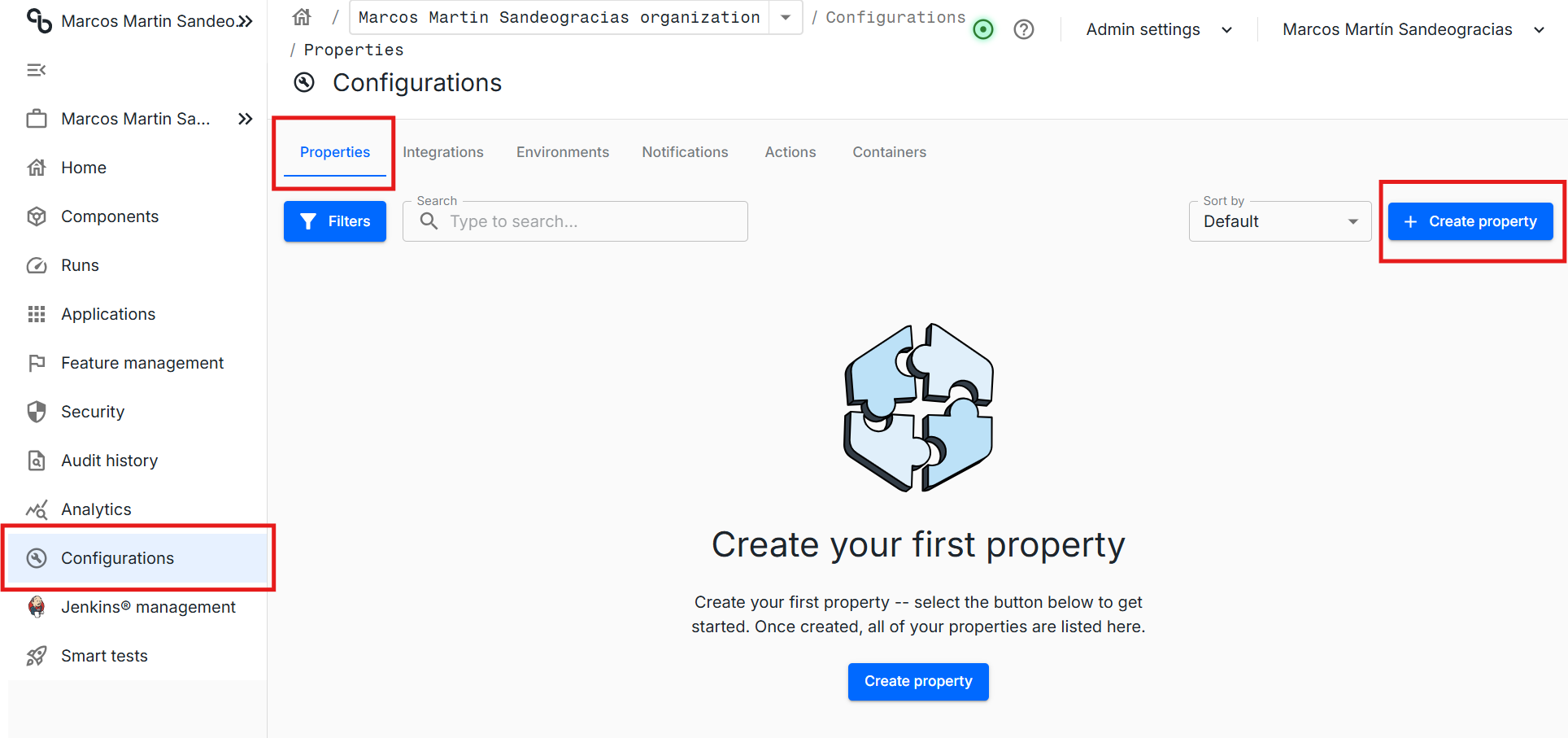
Go to the left panel > Configurations > Properties and click on Create Propertie
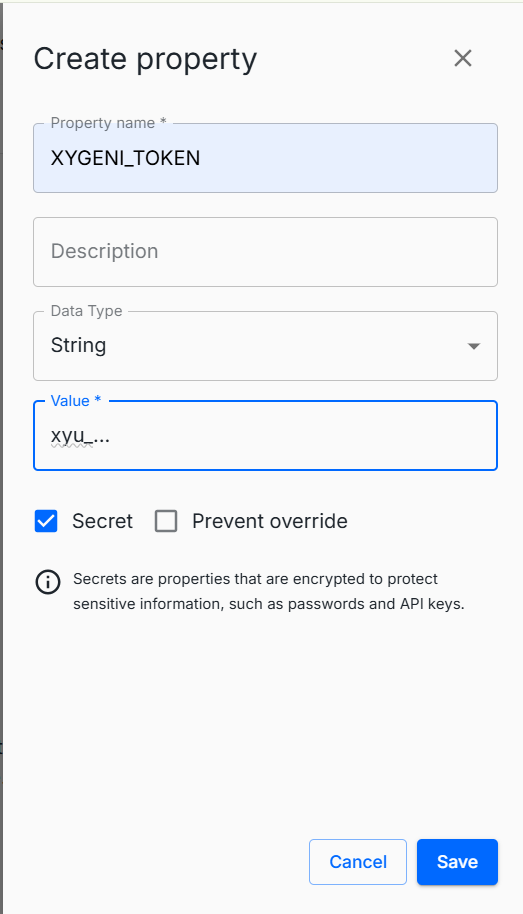
A new panel will open, use XYGENI\_TOKEN as name, String as Data type and write your token on the Value field. Also do not forget to select the Secret checkbox for secure the token.
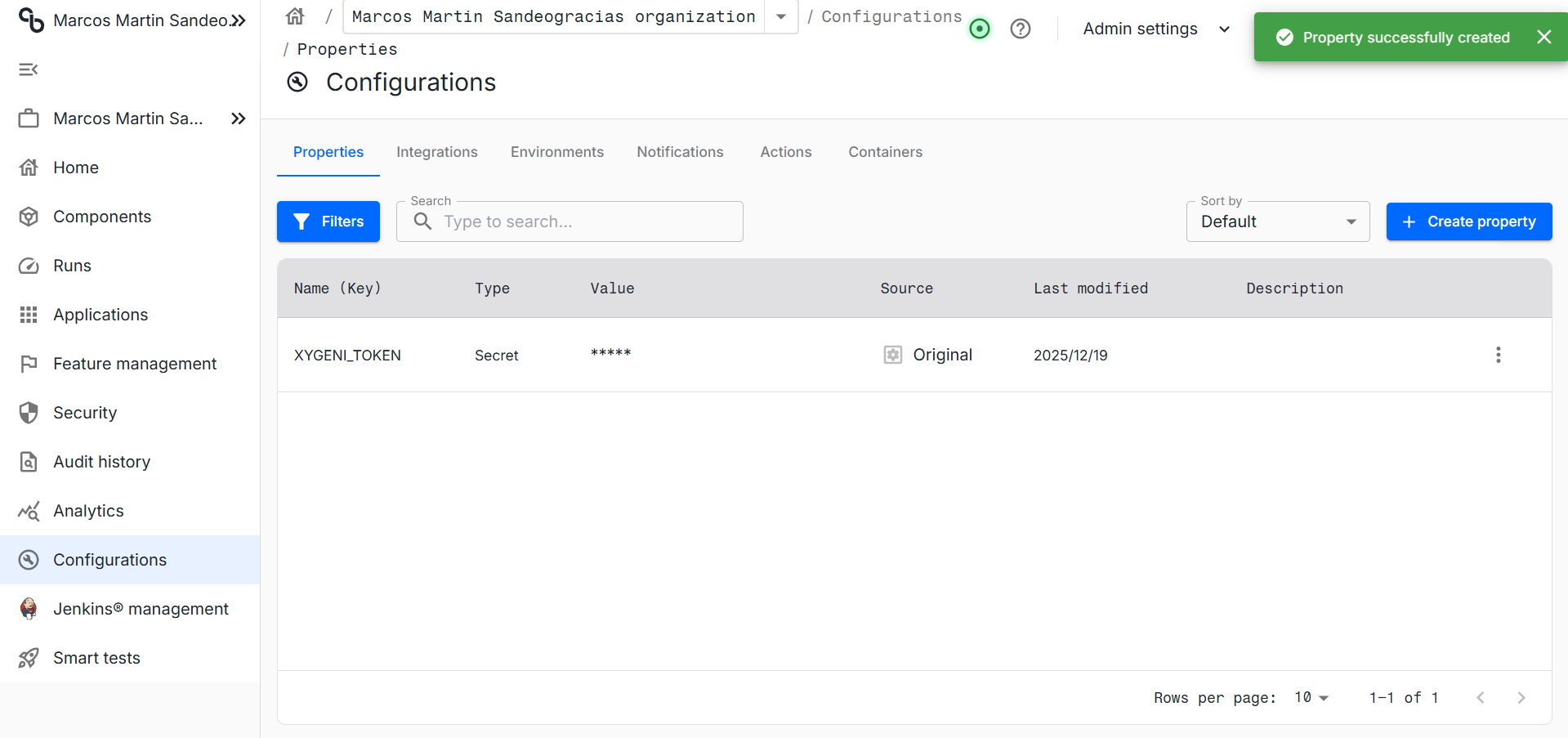
This is the expected result:
### 2. Integrate and SCM
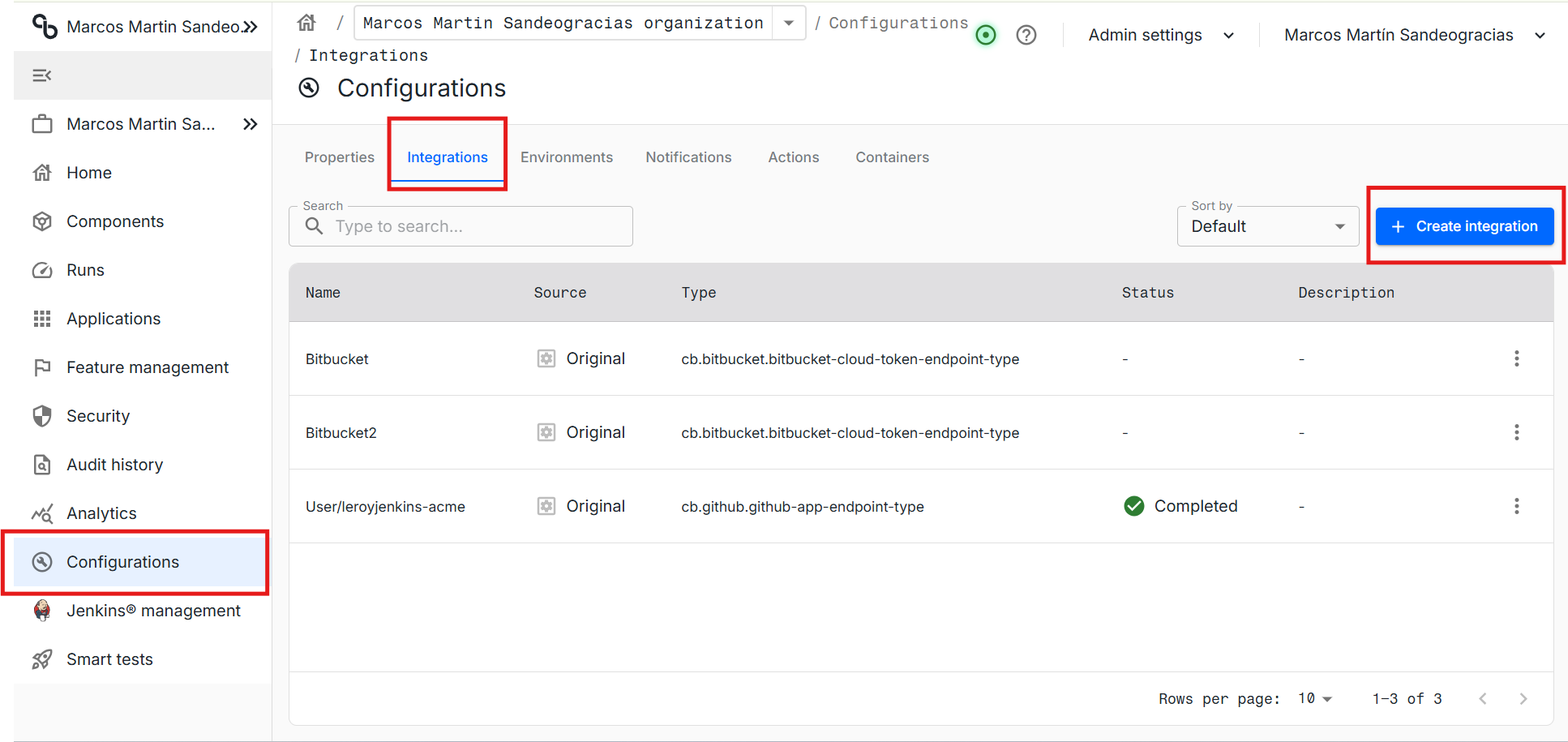
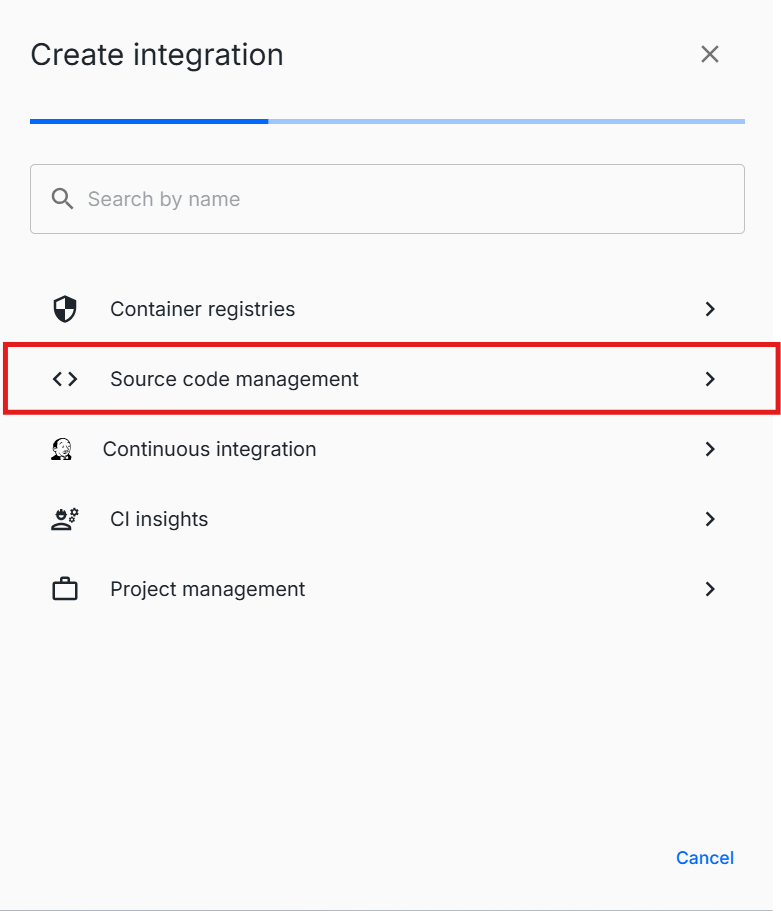
Move to the Integrations tab and click on "Create Integration".
Click on Source code Management and follow the instructions depending on the SMC you want to integrate.
### 3. Create a component
In Cloudbees components are like proyects on Xygeni or repositories in the SCM.
Move to Components, create component to create one
This will show a list with all the connected repositories, select at least one to continue.
A new component will be created. Click on that component.
### 4. Create and run a new workflow
Move to Workflows and press Create Standard Workflow. This will create a new workflow.
This workflows are based on yaml files and use the more or less the same lenguage as Github Actions. But, external actions (as the one of xygeni) can not be used. This means that all the xygeni scanner download and executing workflow must be done by hand.
You can use the following pipeline as template and modify the xygeni scan command as you need it:
```
apiVersion: automation.cloudbees.io/v1alpha1
kind: workflow
name: xygeni-scan
on:
workflow_dispatch: {}
jobs:
xygeni-scan:
steps:
- name: Checkout
uses: cloudbees-io/checkout@v1
with:
fetch-depth: 0
- name: Download + unzip Xygeni Scanner + Run
uses: docker://maven:3.9.9-eclipse-temurin-17
env:
XYGENI_URL: "https://api.xygeni.io"
XYGENI_TOKEN: ${{ secrets.XYGENI_TOKEN }}
run: |
set -euo pipefail
echo "== Verify required tools =="
command -v mvn >/dev/null 2>&1 || (echo "mvn not found" && exit 1)
# Ensure curl + unzip exist
if ! command -v curl >/dev/null 2>&1 || ! command -v unzip >/dev/null 2>&1; then
apt-get update
apt-get install -y curl unzip ca-certificates
fi
echo "== Download scanner zip =="
curl -sSL -o xygeni-release.zip https://get.xygeni.io/latest/scanner/xygeni-release.zip
echo "== Unzip =="
rm -rf xygeni_scanner
unzip -q xygeni-release.zip
chmod +x ./xygeni_scanner/xygeni
./xygeni_scanner/xygeni \
--url "${XYGENI_URL}" \
scan --never-fail -n "${CLOUDBEES_REPO:-repo}" -d .
```
{% hint style="info" %}
Use `--never-fail` to avoid breaking the build if the scan finds issues or fails.\
\
You may also use `--fail_on=critical` to terminate the build only when critical issues are found.
{% endhint %}
{% hint style="info" %}
Use `--run=secrets,iac` if you want to scan only for secrets and IaC flaws, for example.
{% endhint %}
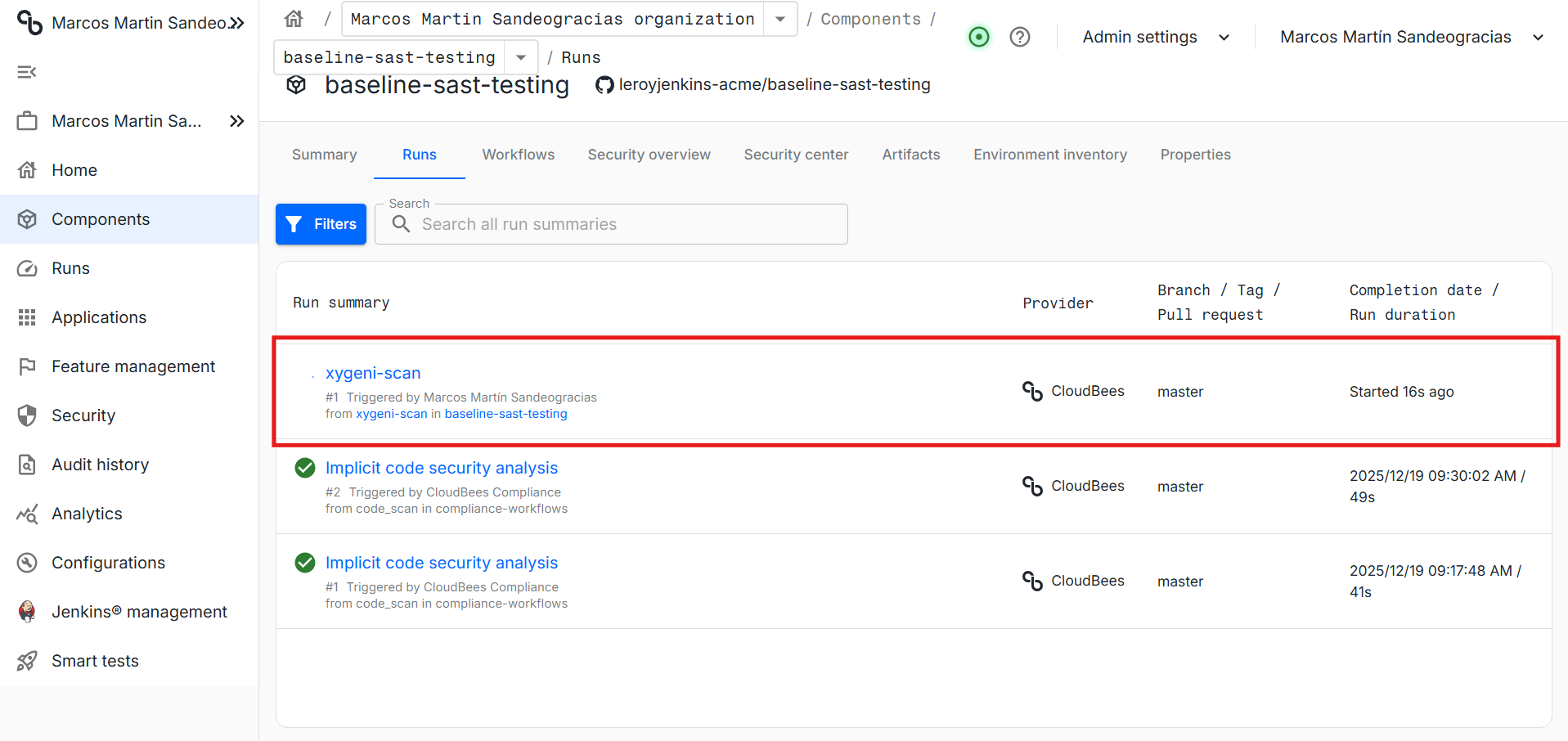
Press commit to save the changes and press Run to launch the workflow.
A new Run will be shown on the Run Summary list.
---
# Agent Instructions
This documentation is published with GitBook. GitBook is the documentation platform designed so that both humans and AI agents can read, navigate, and reason over technical content effectively. Learn more at gitbook.com.
## Querying This Documentation
If you need additional information that is not directly available in this page, you can query the documentation by asking a question.
Perform an HTTP GET request on the following URL with the `ask` and `goal` query parameters:
```
GET https://docs.xygeni.io/xygeni-administration/platform-administration/integrations/integrate-scanner-cli-into-ci-cd-systems/cloudbees-integration.md?ask=&goal=
```
`ask` is the immediate question: it should be specific, self-contained, and written in natural language.
`goal` is what the user is ultimately trying to achieve, the reason they need the answer. Sharing it helps GitBook give you a better, more relevant answer. A goal is most helpful when it describes the outcome the user wants rather than restating the question. For example, with `ask=how do I create an API token`, a goal like `automate deployments from our CI pipeline` lets GitBook tailor the answer to that use case.
The response will contain a direct answer to the question and relevant excerpts and sources from the documentation.
Use this mechanism when the answer is not explicitly present in the current page, you need clarification or additional context, or you want to retrieve related documentation sections.